17 Fit Apple Watch & iPad
iPhone · iPad · Apple Watch
Your calorie counter on Apple Watch, iPad and iPhone
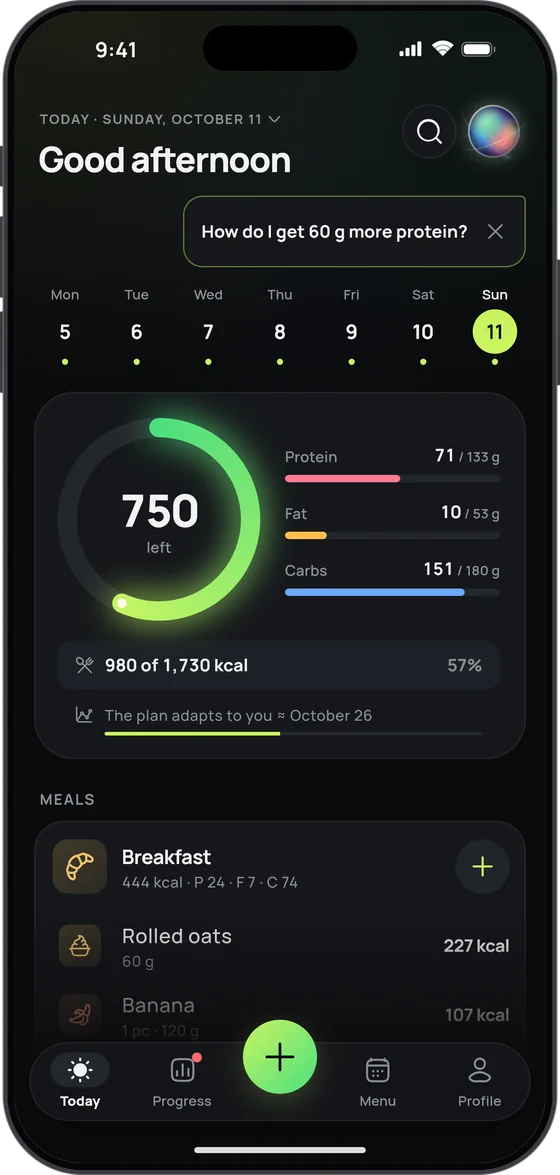
17 Fit is a photo calorie counter and macro tracker for iPhone, iPad and Apple Watch. The watch shows the calories left for today, the iPad lays out your week, and the iPhone can keep your day budget on the Lock Screen.

Apple Watch
Your day ring, on your wrist
Raise your wrist to see the calories left; turn the Digital Crown for macros and, with fasting on, your fast. Logged the wrong thing? Undo it right there.
- Say what you ate Name the dishes and how much; your nearby iPhone turns it into diary entries.
- Same as yesterday A usual meal or a favourite food in one tap.
- Water and weight on the Digital Crown Water from your usual glass in 50 ml steps; weight in tenths.
- Intermittent fasting Start or end a fast from your wrist and see the time to go.
- Complications Day ring, water, fasting and “Same as yesterday”, right on your watch face.
- No numbers “Some room left” or “Just right” instead of calories and grams.
iPad
Your week on the big screen
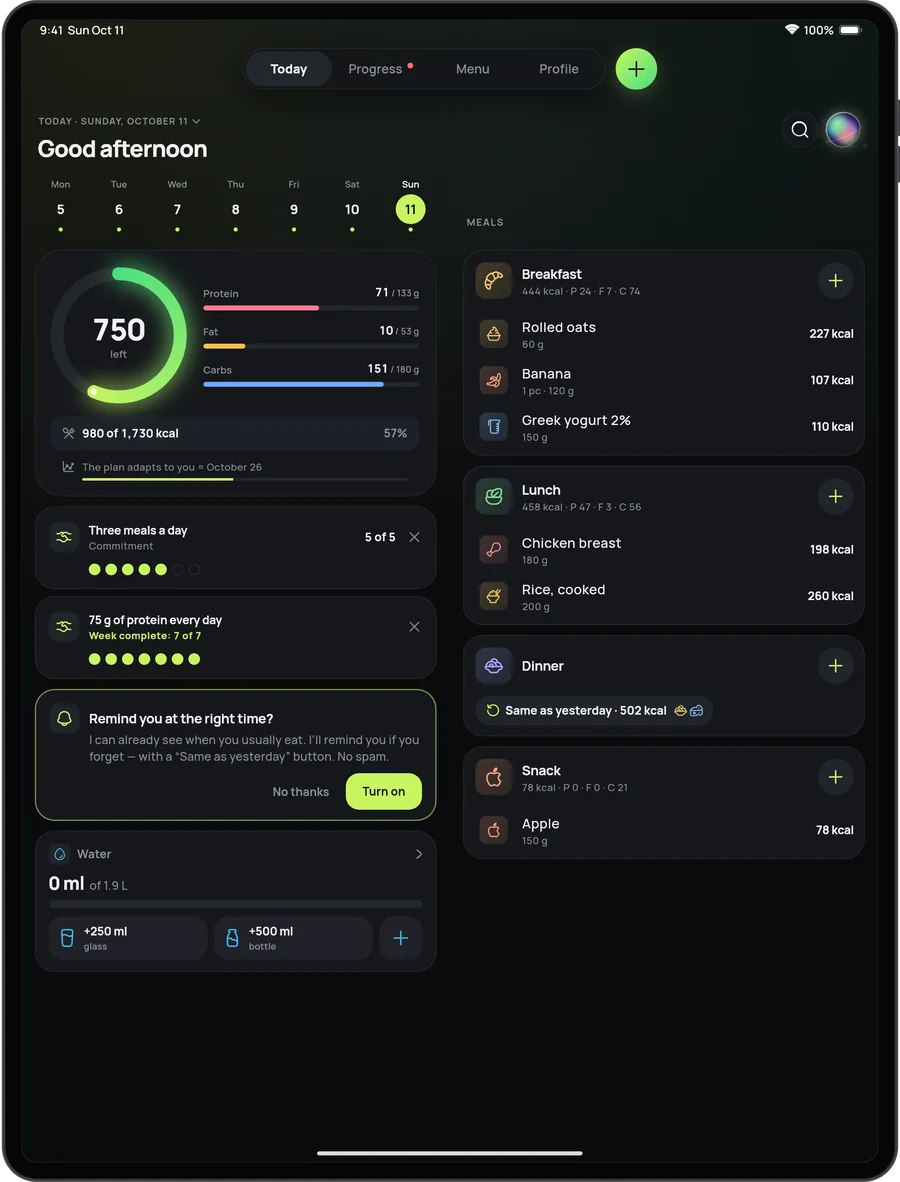
On iPad, 17 Fit is laid out for the big screen: the tabs move to the top, and Today spreads into two columns when there’s room.
- The week’s menu as a board In landscape, days become columns and meals become rows.
- Any window size Full screen, side by side or in a window of its own: the layout follows the window’s width.
- Keyboard ⌘1–⌘4 switch tabs, ⌘N adds food.
Lock Screen
Your day budget, always in view
The “Day budget” Live Activity shows calories left, macros and your next meal on the iPhone Lock Screen and in the Dynamic Island. Switch it on in Profile → Settings → Progress.
- Water and photo Add a glass of water in one tap, or open the 17 Fit camera.
- Fasting timer A Live Activity of its own: time fasted and when the fast ends.
- Widgets Day ring and macros on the Home Screen; calories left and your next meal on the Lock Screen. Log water or “Same as yesterday” right from the widget.
Siri and Shortcuts
Everyday logging, a word or a press away
Say “Add a glass of water in 17 Fit” and it’s logged. Siri also records your weight, repeats a meal, starts or ends a fast and tells you what’s left for today, without opening the app.
- Shortcuts Food, water, weight, fasting and the coach, as actions for your own shortcuts and automations.
- Action Button On iPhones that have one: a food photo, or any other 17 Fit action, in one press.
- Control Center A food photo, water, your fast or a voice entry, on iOS 18 and later.
- Spotlight Your usual foods, right in iPhone search.
Visual Intelligence · Apple Intelligence
Point the camera, find the food
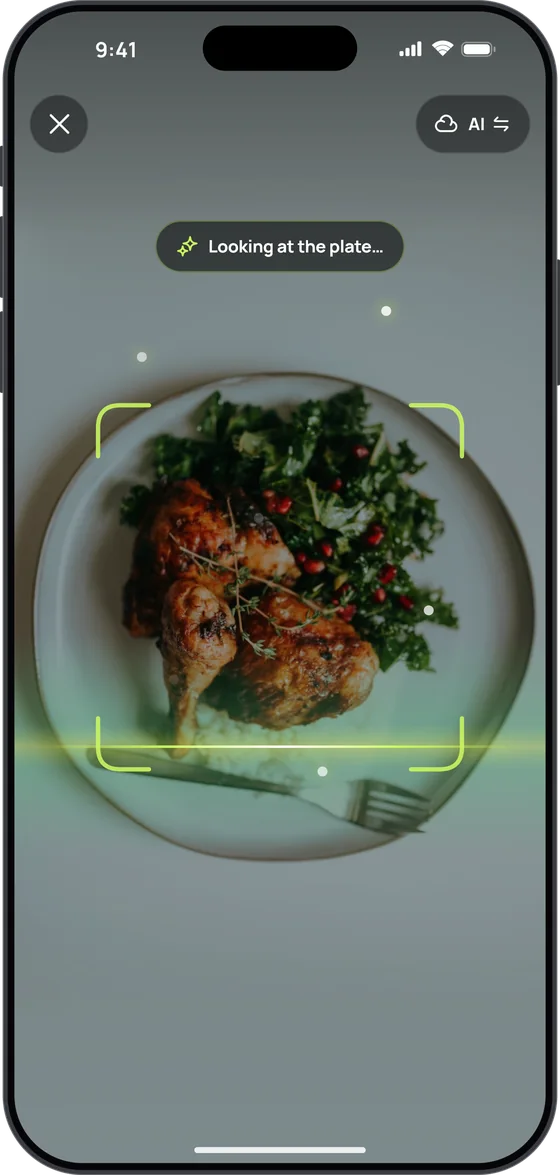
Point the camera at food or take a screenshot, and 17 Fit suggests matching foods from its catalogue, your usual ones first. Works on iPhones with iOS 26 that support Visual Intelligence.
- One tap into 17 Fit The food you pick opens in 17 Fit’s search: choose the portion and log it.
- More in 17 Fit Nothing fits? 17 Fit opens and recognises the dish from the picture itself.
- Apple Intelligence On iPhones with Apple Intelligence (iOS 26), a meal you say or type is understood on the iPhone itself: free, offline and outside your daily AI limit. Works when the app is in English, German, Spanish, French or Italian.
Apple Health
Calories burned, from how you really move
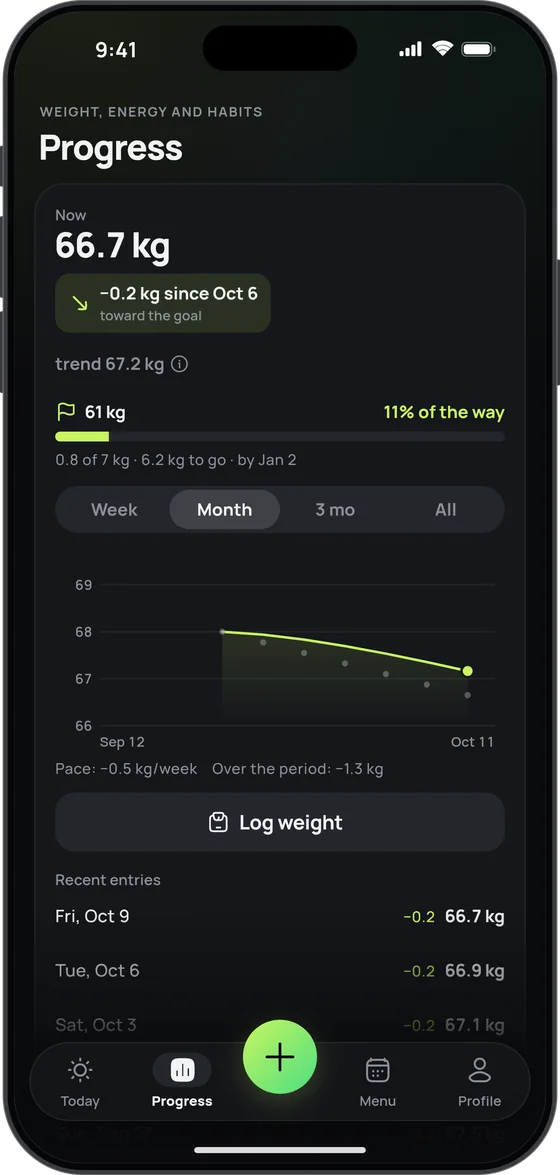
Connect Apple Health and 17 Fit reads three things from it — steps, active calories and weight — and writes nothing back. After about a week of data, the plan works out your daily burn from your actual activity, not a questionnaire.
- With a watch or without Active calories from your Apple Watch or another source in Apple Health; without them, your movement is estimated from your steps.
- Smart-scale weight Lands in your weight log by itself; a weigh-in you enter by hand comes first.
Does 17 Fit work on Apple Watch?
Yes. 17 Fit has an Apple Watch app (watchOS 11 or later) that works together with 17 Fit on your iPhone and exchanges data only with it, so you need the iPhone app too. Set up your plan on the iPhone and the day ring appears on your wrist, with macros, voice and one-tap logging, water, weight, fasting and complications.
Does the 17 Fit Apple Watch app work without my iPhone nearby?
Partly. Water, weight, fasting, “Same as yesterday” and favourites are logged on the watch and reach your iPhone once it’s back within reach. Voice logging needs your iPhone nearby, because the iPhone turns what you said into diary entries.
Which iOS and watchOS versions does 17 Fit need?
iPhone and iPad need iOS or iPadOS 17 or later; Apple Watch needs watchOS 11 or later. A few extras need newer versions: 17 Fit’s Control Center controls need iOS 18, Visual Intelligence and Apple Intelligence need iOS 26 on a supported iPhone, and controls on the watch itself need watchOS 26.
Does 17 Fit sync between iPhone and iPad?
No. Each device has its own anonymous account and its own food diary. To move your data, save a backup on one device and restore it on the other (Profile → Settings → Data → Backup & export); restoring replaces whatever is already on that device. On iPad the layout is made for the big screen, and the “Day budget” Live Activity is iPhone-only.

Your day, at a glance
Get 17 Fit on the App Store, set up your plan on your iPhone in 30 seconds, and the day ring appears on your Apple Watch too.