Plate photo
One photo, and it’s counted
The AI recognises the dishes and estimates the grams in seconds. Disagree? Nudge the slider: the diary trusts your numbers, not the AI’s guess.
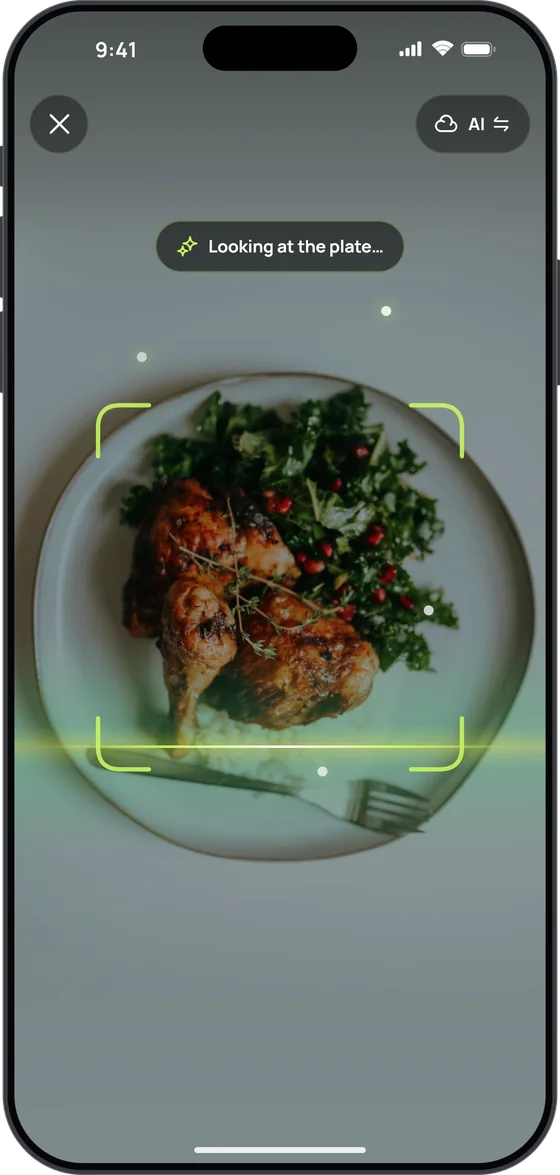
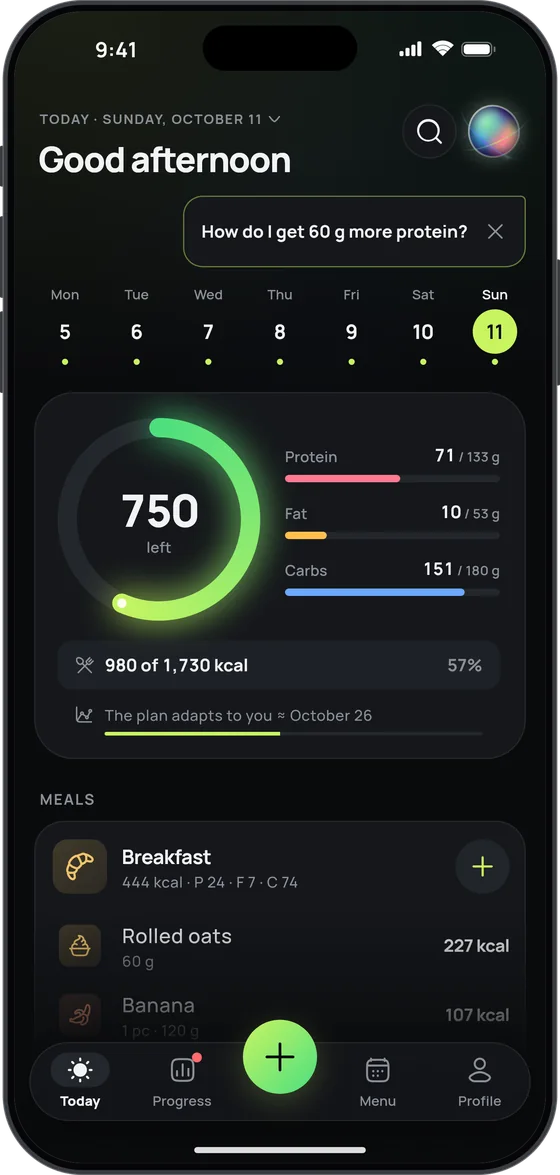
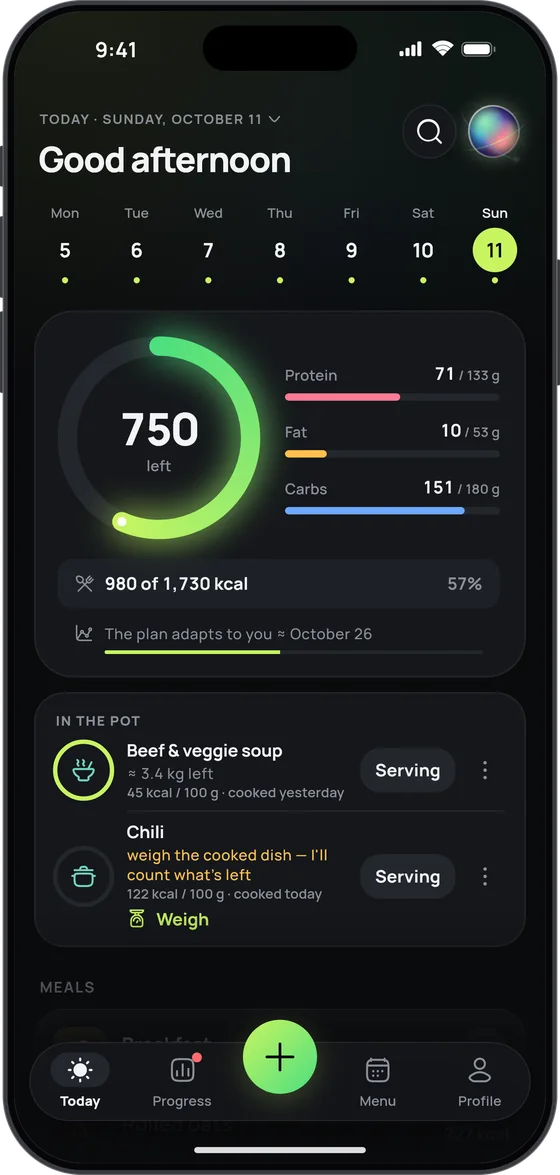
17 Fit is a photo calorie counter and macro tracker for iPhone, iPad, Apple Watch and Android. Snap your plate or just say what you ate — the AI picks out the dishes and estimates the grams in seconds, and your plan adjusts to your weight every week.
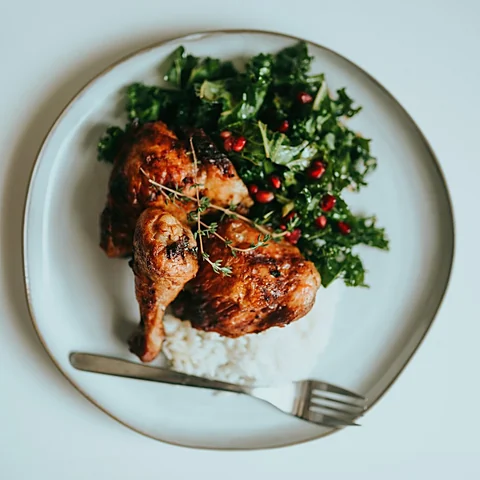
Lunch · 3 dishes 436 kcal
Log in seconds
Plate photo
The AI recognises the dishes and estimates the grams in seconds. Disagree? Nudge the slider: the diary trusts your numbers, not the AI’s guess.
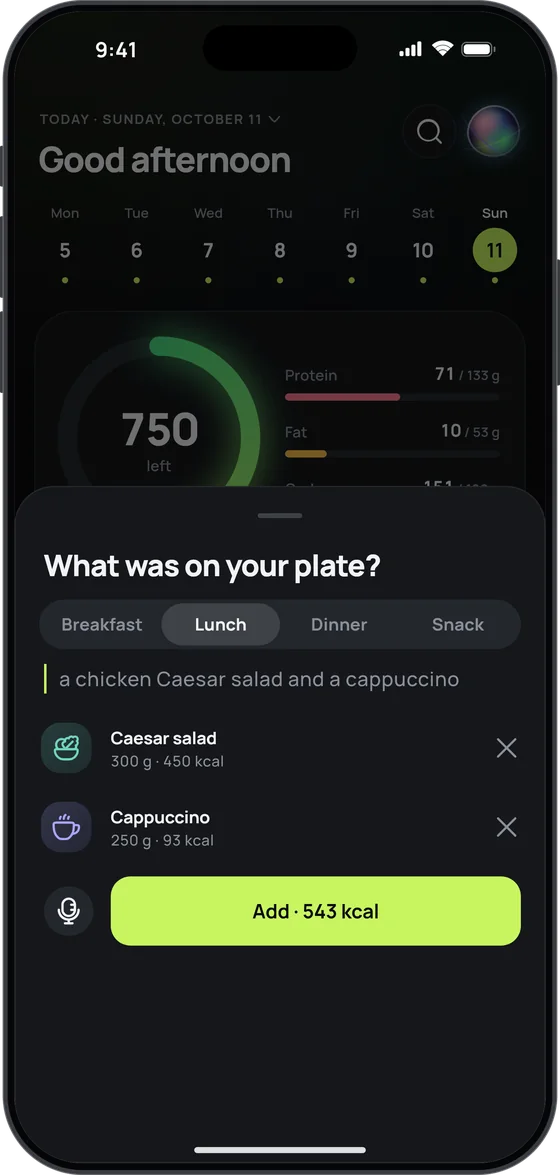
By voice
“Two eggs, toast and a cappuccino”
No searching, no weighing: one look, one tap, and it’s in your diary. Same on Apple Watch — just tell your watch what you had.
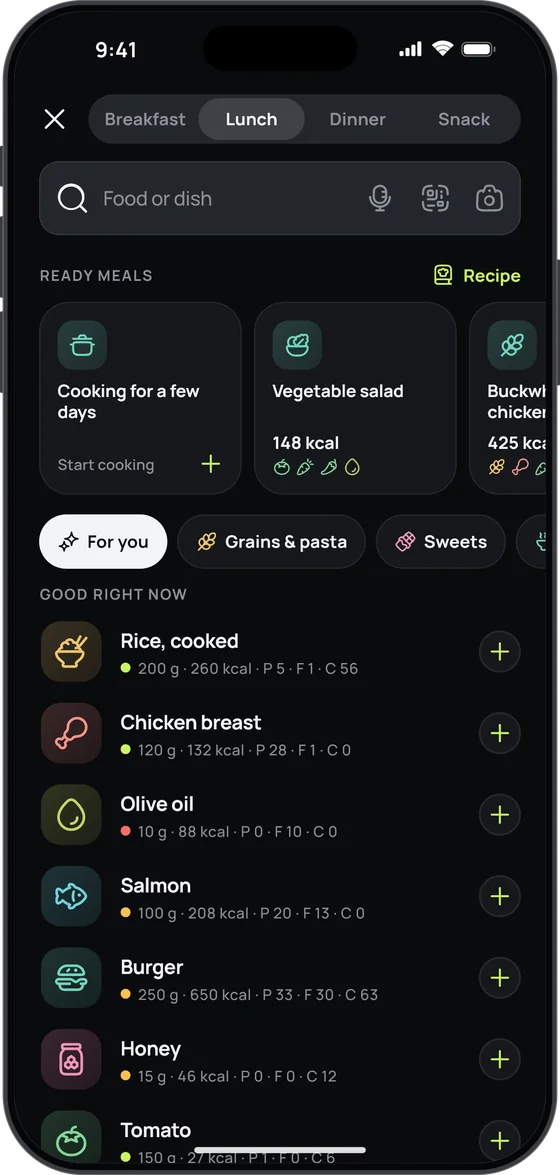
Search and catalogue
Ready meals from cuisines around the world and a “For you” pick of what fits right now. Nutrition comes from official food databases, including USDA FoodData Central, CIQUAL and CoFID, and from Open Food Facts for packaged food. A burger from a chain or a café’s salad? Search the dish by name, and 17 Fit brings in its nutrition from the web.
Macros straight from the pack — scan the barcode or snap the nutrition table. Not in the database? 17 Fit finds it online.
Your usual breakfast in one tap, no searching. On your watch too.
Eating out? Snap the menu — 17 Fit estimates every dish and lists the ones that fit your day first.
From a link to any website, a cookbook photo, plain text or just a name, like “chicken pot pie” — after that, it’s one tap every time you make it.
Switching from another calorie counter? Bring your history over from its export file or any CSV.
Connect a Bluetooth kitchen scale and the grams fill in by themselves — even ingredient by ingredient when you batch-cook.
A plan that learns
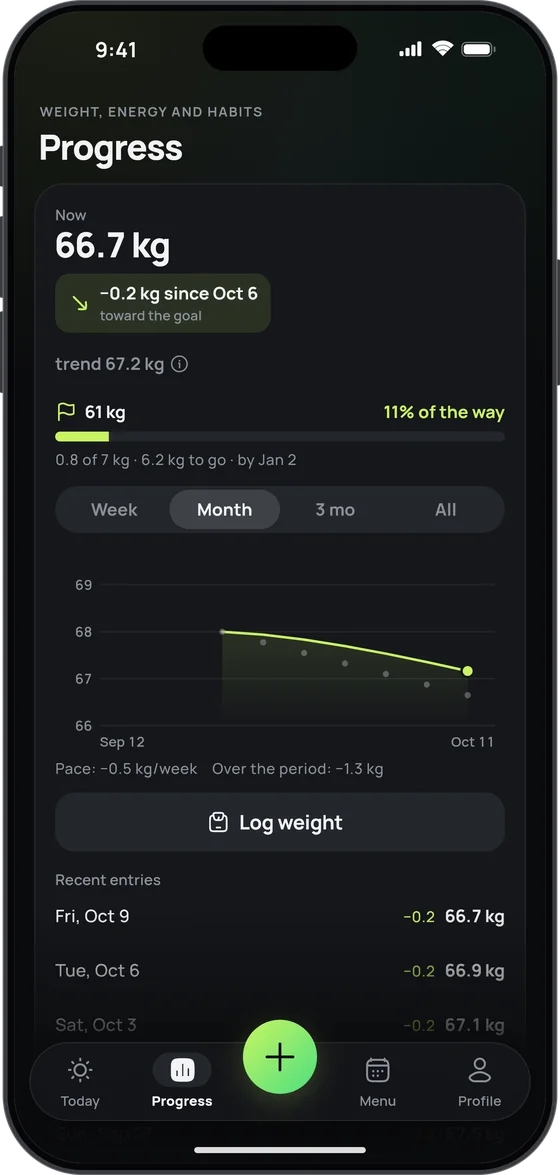
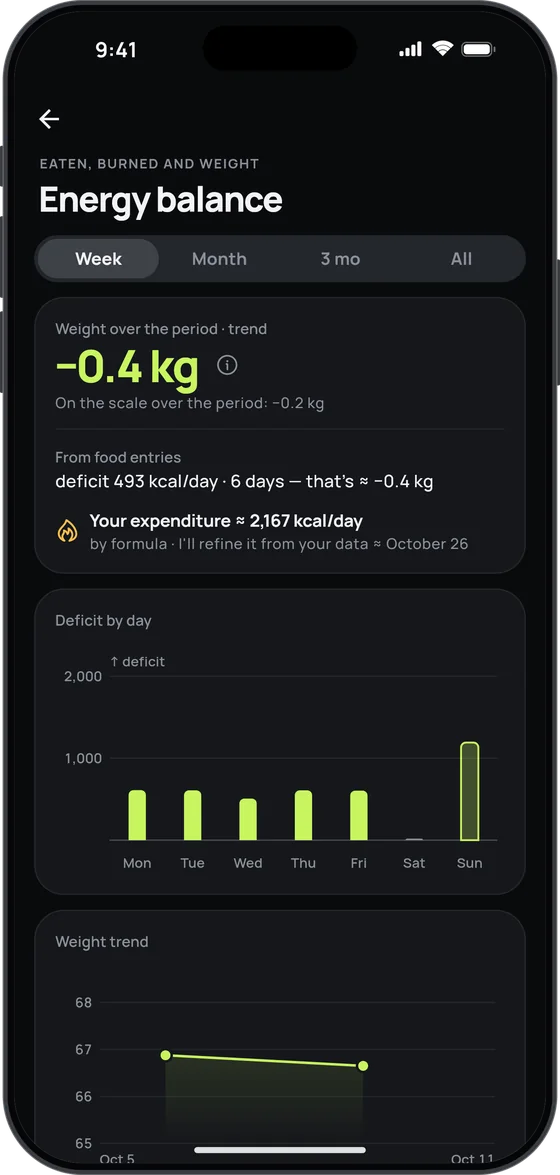
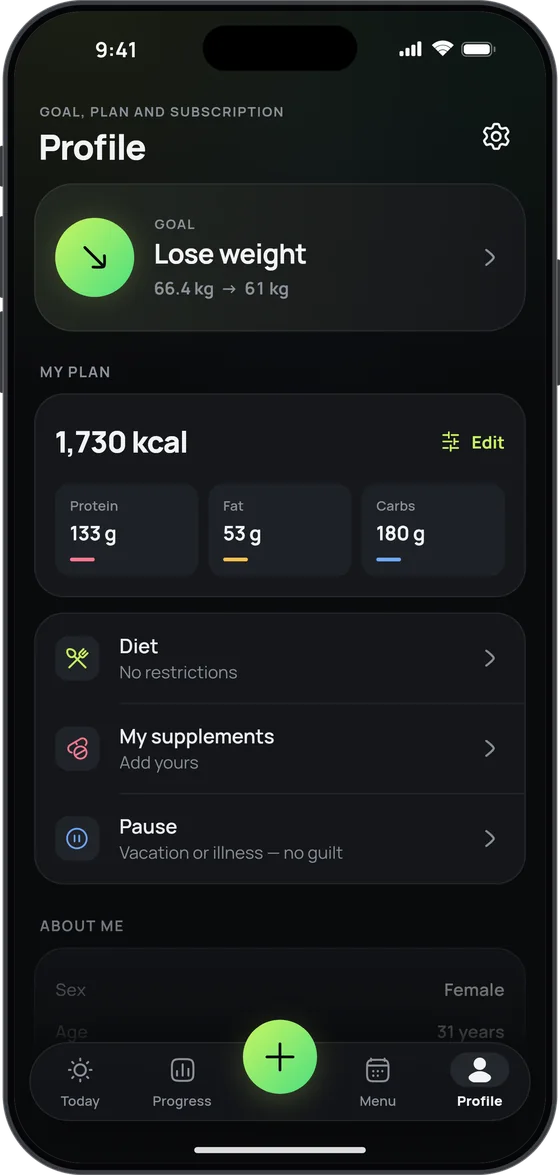
Your target starts from your own data and is checked against your weight trend every week — so the plan follows your real numbers, not just a formula.
AI coach
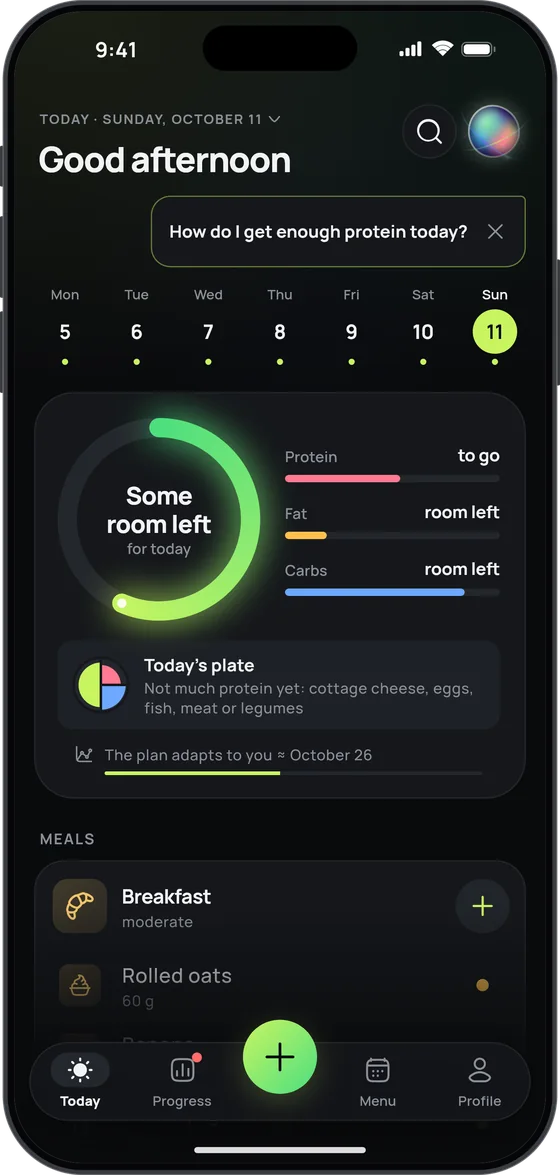
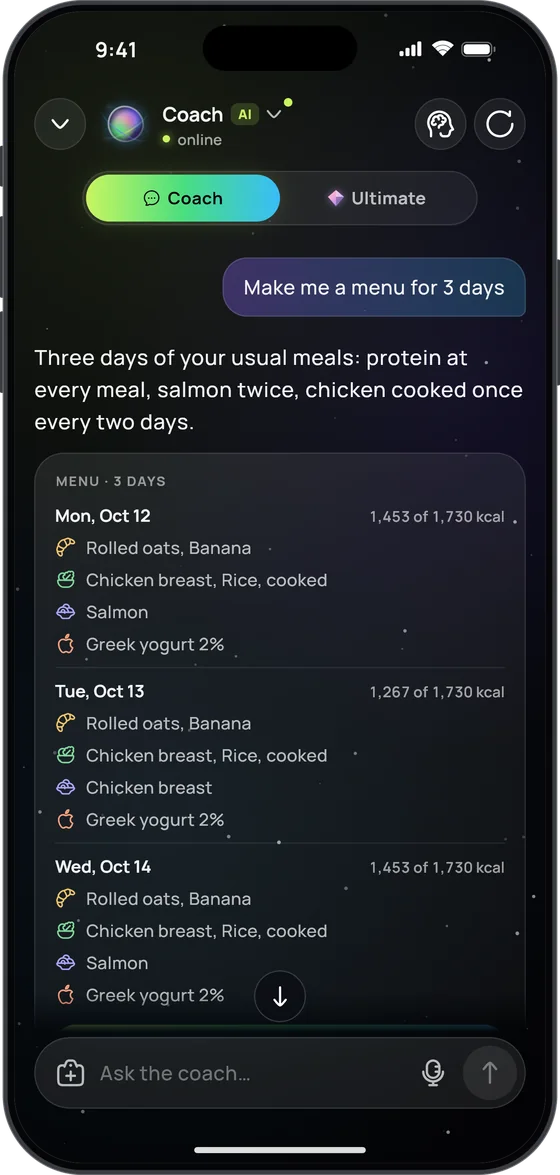
Ask why the scale is stuck, what to have for dinner or how to hit your protein — like texting an AI nutritionist who knows your diary. The coach sees your food, weight, steps, fasting and vitamins, answers with your own numbers rather than generic advice, and reads photos of your plate, your fridge or a menu.
More about the AI coach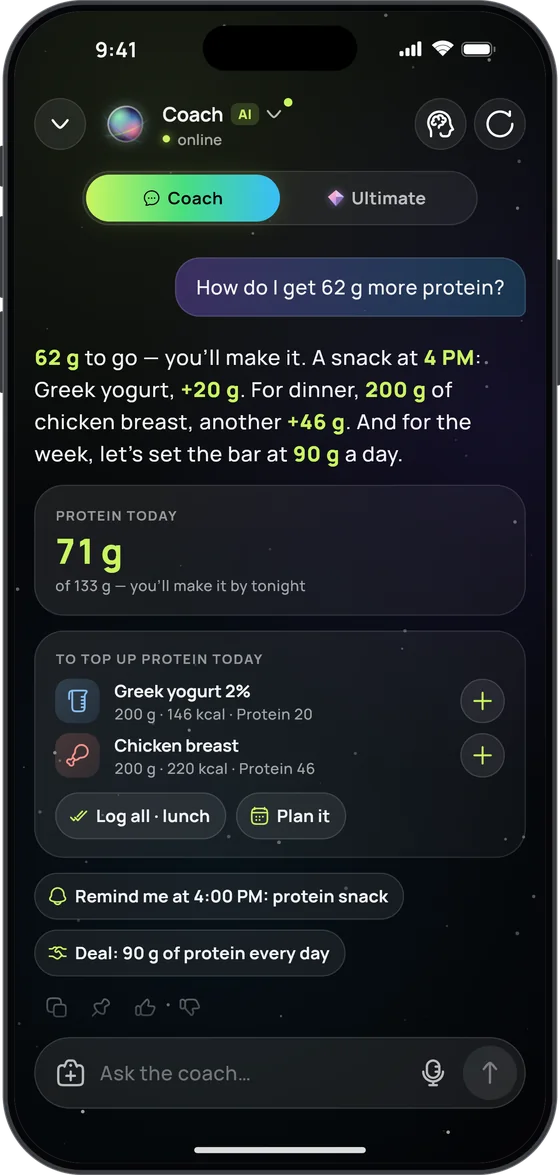
The coach remembers your past conversations and what matters about you — schedule, training, family. It’s all in “What I remember”: change or remove anything.
Ask about last Thursday or the whole month — the coach looks up the entries itself.
Friendly, Demanding, Gentle, Brief, Playful or Science — and you choose whether it speaks as he or she.
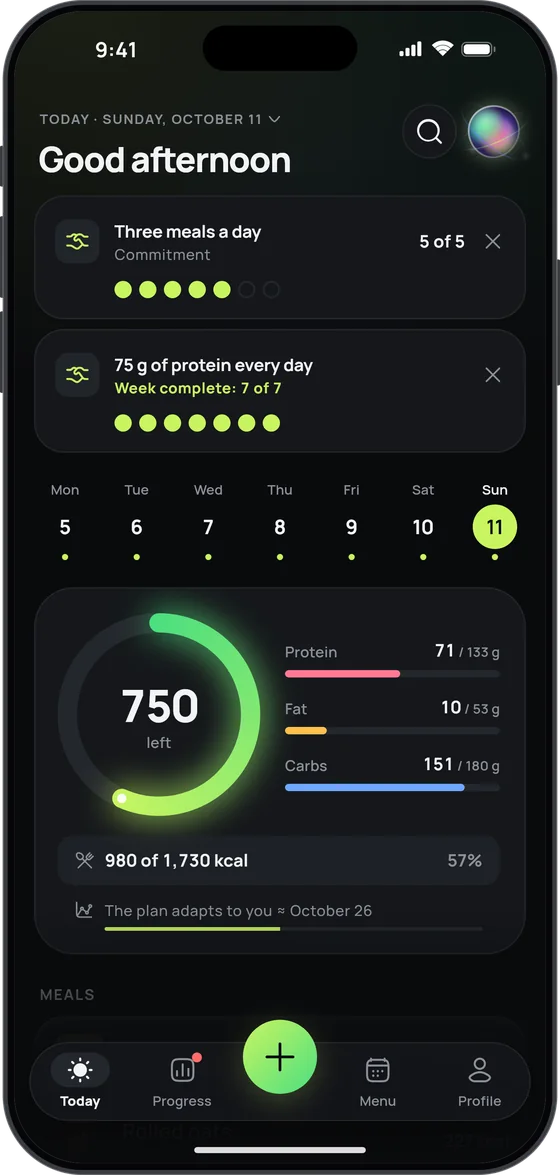
Agree on, say, 90 g of protein a day — and the Today screen marks off every day you make it.
Sets reminders, records what you agreed, plans meals with a shopping list — you just confirm.
At most once a day, and only when there’s a reason: low protein, a gap in your logging, the weekend. Don’t want it? Switch it off.
Pro+
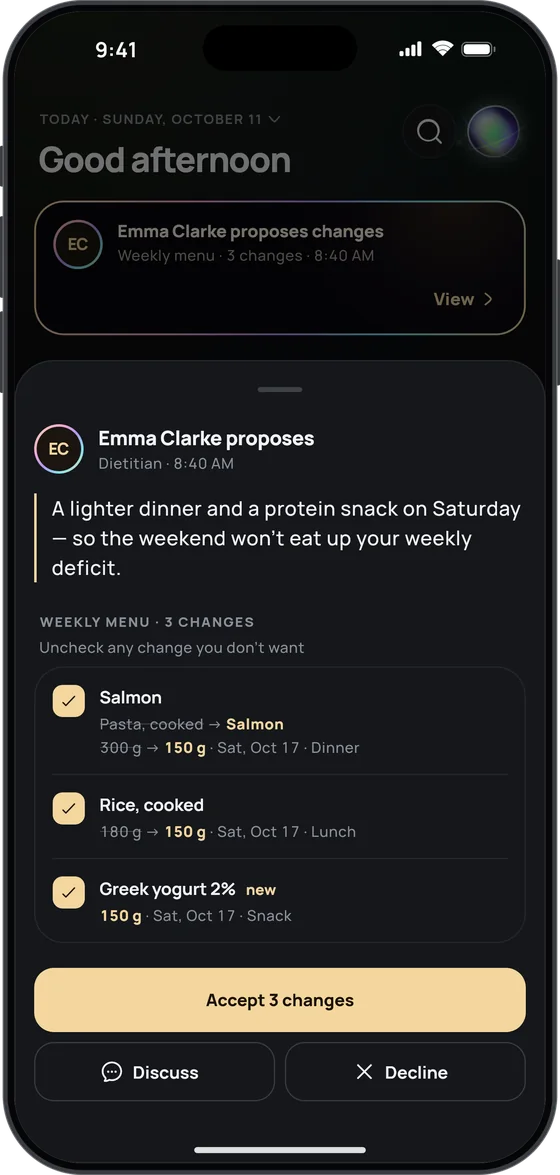
For those who want the most from 17 Fit: in‑depth analysis from the Ultimate coach, your own dietitian or trainer right in the app, and a weekly review of your plates.
Ultimate coach
An AI team — a nutritionist, a dietitian, a trainer and a mentor — studies your data and photos and turns them into an action plan with numbers and a date to check back. When a question calls for evidence, it checks sources such as WHO, EFSA and PubMed, with the links right under the answer. Its dossier grows with every conversation, and you can edit or delete any point in it. 10 answers a day, separate from the everyday coach. The Ultimate team aren’t doctors: for health matters, talk to a specialist.
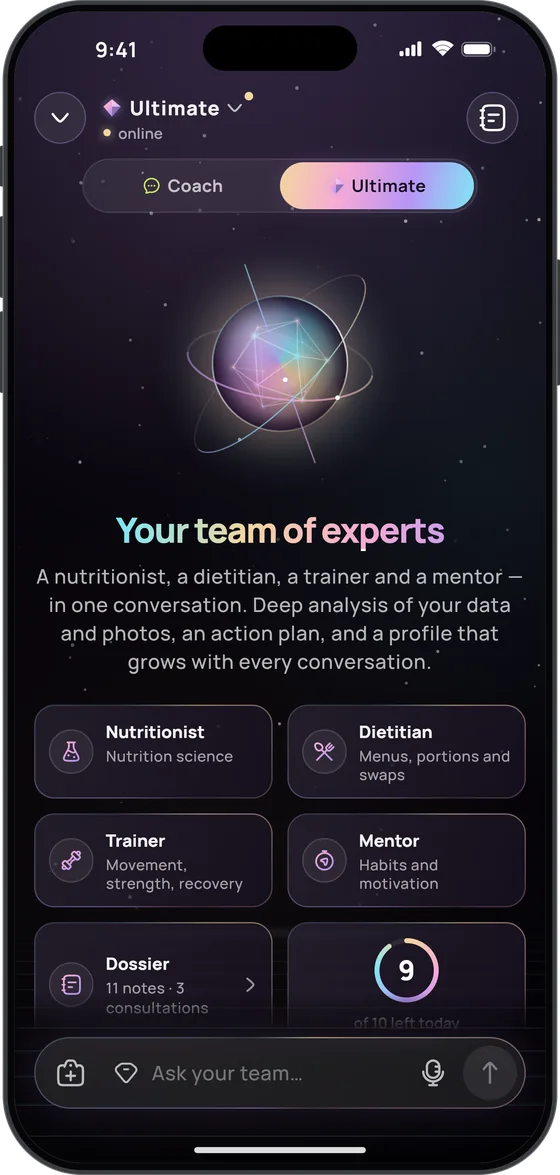
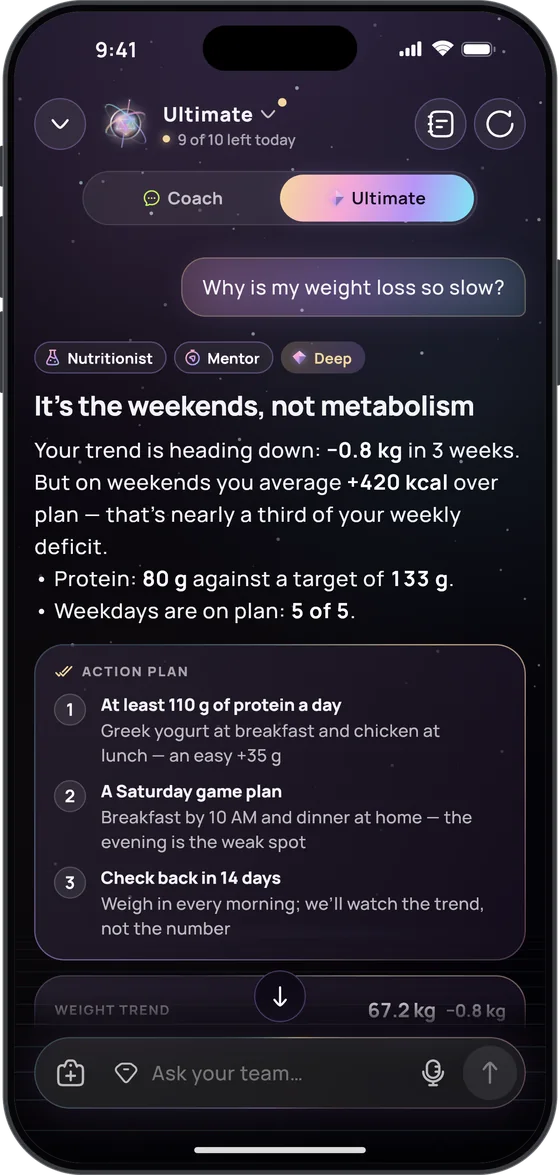
Personal supervision
Invite up to three of your own specialists — a dietitian, nutritionist, trainer or doctor. Each joins from their own 17 Fit app with a single-use key valid for 48 hours, and you decide what each one sees: food diary, weight and measurements, menu, supplements, goals, water and fasting, or the coach’s dossier.
Your specialists never see your body or meal photos. End access any time; the access journal shows who looked at your data, when, and what changed.
Are you a specialist? See how it worksOnce a week the coach looks at the week’s numbers and the photos of your plates: what worked, what to fix — and one focus for the week ahead.
All three come with Pro+.
iPhone · iPad · Apple Watch · Android
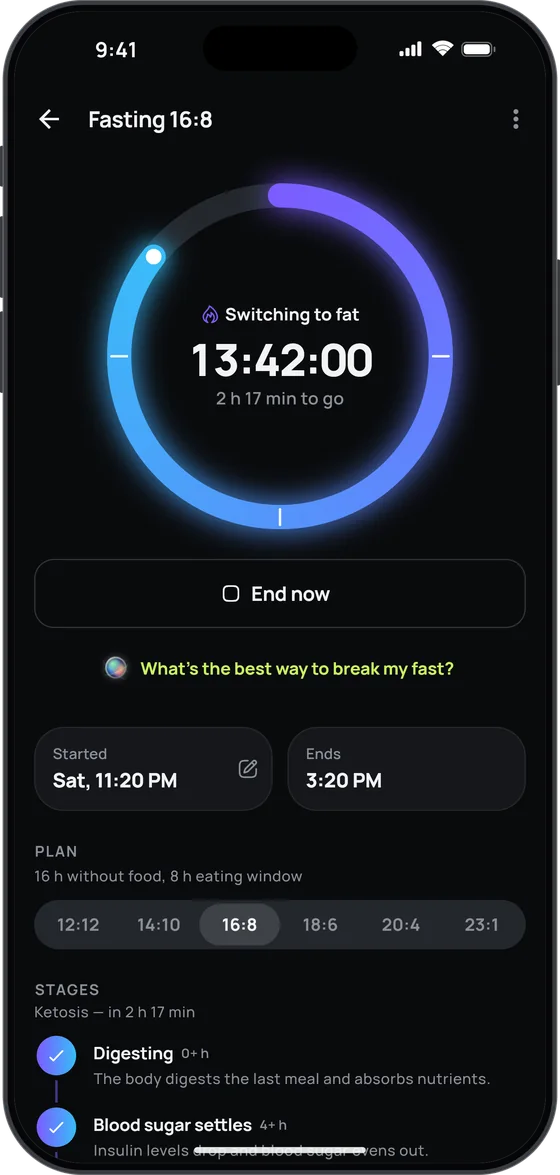
17 Fit runs on iPhone, iPad, Apple Watch and Android and fits right into each: on iPhone, your day budget on the Lock Screen and everyday actions in Siri, widgets and Control Center; on Android, a home screen widget, Health Connect and the fasting timer in a notification.
Your calorie counter on Apple Watch: today’s ring at a glance, meals by voice or in one tap, water and weight with the Digital Crown, and a fast started right from your wrist. “No numbers” mode works here too.
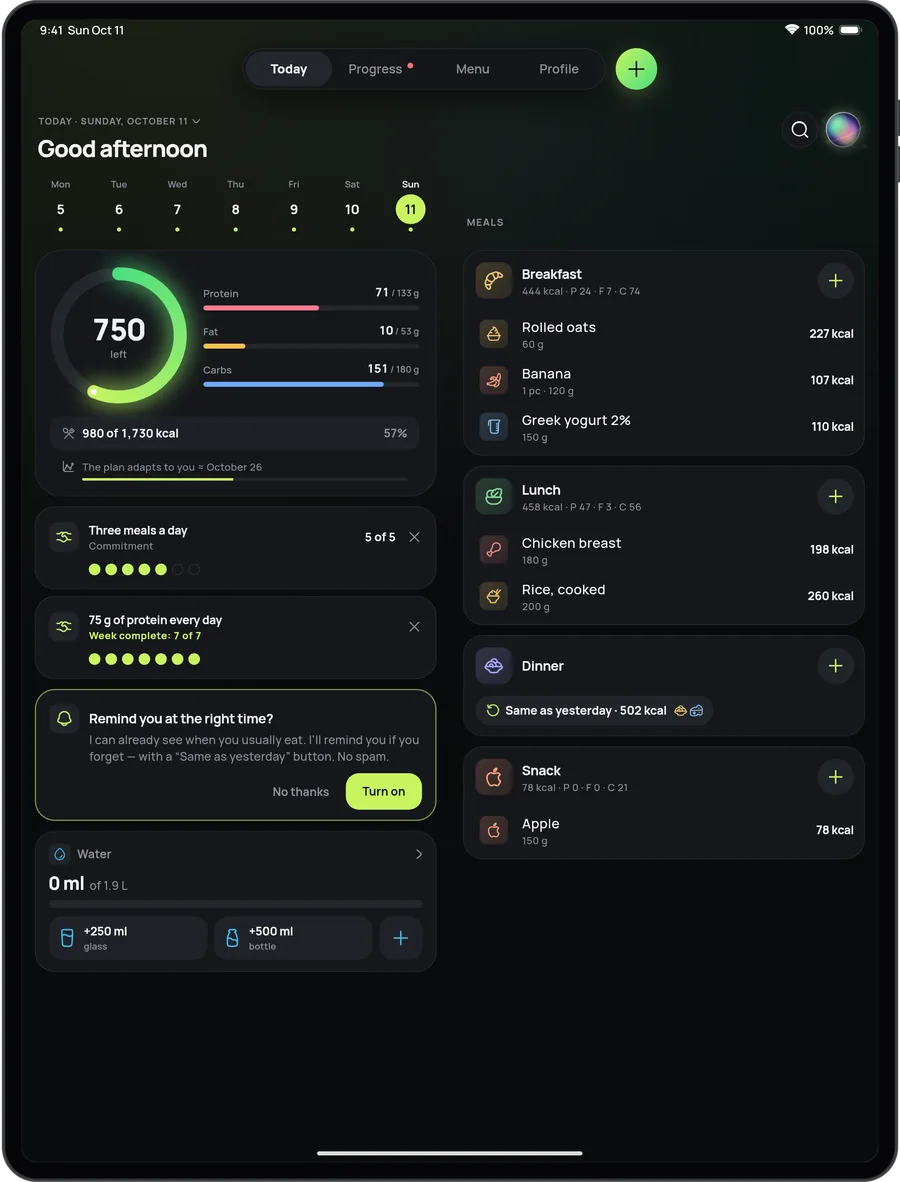
A layout made for the big screen: Today in two columns and your week’s menu laid out as a board.
Calories left, macros, your next meal and the fasting timer — a Live Activity you can see without unlocking your phone.
On the Home Screen and the Lock Screen: calories left, macros and quick food logging.
“Add a glass of water in 17 Fit” — water, weight, a repeat meal or today’s summary without opening the app.
A food photo, a glass of water, your fast or a meal logged by voice — in one press.
Your usual foods, right in iPhone search.
On iOS 26, point the camera or take a screenshot to find the food in 17 Fit.
On iOS 26, on iPhones with Apple Intelligence, a meal you say or type is understood on the device itself — free, offline and outside your daily AI limits.
17 Fit reads steps, active calories and weight to count what you really burn. It writes nothing to Apple Health.
On Android phones, tablets and foldables (Android 8.0 or later), 17 Fit has what it has on iPhone — photo, voice and barcode logging, the plan, the AI coach and Pro+ — and fits into Android its own way.

Everything else
Our principles
No third-party analytics, no trackers, no selling of data.
The account is anonymous and tied to your phone — no e‑mail or phone number; a name or nickname only for Personal supervision.
Progress photos never leave your phone and are not part of the backup.
Profile → Settings → Data → Privacy & data: turn sync off, erase the server copy, or erase everything.
Plans
The food diary, weight, plan, reports and challenges are for everyone, with a little AI every day. Pro gives you more AI each day; Pro+ adds an unlimited coach, the Ultimate coach, Personal supervision and a weekly review of your plates.
| Basic Unlimited diary and a little AI every day Free | Pro Photograph every meal — the AI does the rest | Pro+ An unlimited coach, Ultimate and your own specialist | |
|---|---|---|---|
| Diary | |||
| Diary, weight, plan, water and supplements | ✓ | ✓ | ✓ |
| AI every day | |||
| Meal photos | 3 a day | 30 a day | 40 a day |
| Finer detail on complex dishes | — | 15 a day | 30 a day |
| By voice | 3 a day | 20 a day | 30 a day |
| AI coach | 1 a day | 10 a day | unlimited |
| Labels | 2 a day | 10 a day | 20 a day |
| Only in Pro+ | |||
| Ultimate coach | — | — | 10 a day |
| Weekly review of your plates | — | — | ✓ |
| Invite specialists | — | — | up to 3 |
| If you are a specialist | |||
| Clients you can supervise | 1 | 1 | up to 5 |
Pro and Pro+ are auto-renewing subscriptions in the App Store or Google Play, monthly or yearly. Prices depend on your region, and the store shows yours before you buy. New subscribers may be offered a free trial. Cancel any time in your Apple ID settings or in Google Play.
Yes. The Basic plan is free forever: the food diary, weight tracking, plan, measurements, reports and challenges with no limits, plus a little AI every day — meal photos, voice, labels and the coach. Pro raises the daily AI limits; Pro+ adds an unlimited coach, the Ultimate coach, Personal supervision and a weekly review of your plates.
No. The account is anonymous and tied to your phone — no name, e‑mail or phone number. With sync on, reinstall on the same phone and your data comes back by itself. A name or nickname is asked for only if you use Personal supervision.
Like any AI calorie tracker, 17 Fit gives an estimate: the AI recognises the dishes and estimates the grams, and you can always adjust them — the diary trusts your numbers. Shoot the whole plate in daylight. For packaged food a barcode or label scan is more precise, and with a Bluetooth kitchen scale the grams come straight from the scale.
17 Fit looks it up online. Scan a barcode that Open Food Facts doesn’t know, or search for a dish from a restaurant chain or a café by name, and the app finds the product on the web and takes the calories and macros stated for that very product on the maker’s or a store’s page — not an AI guess. The numbers are checked before they reach your diary, and a product found once is ready instantly for the next person who scans it. If only the name turns up, the app offers to snap the nutrition label instead.
17 Fit is on the App Store for iPhone, iPad and Apple Watch, and on Google Play for Android. It needs iOS or iPadOS 17 or later, or Android 8.0 or later on a phone or tablet; the Apple Watch app (watchOS 11 or later) works through the iPhone app, so you need both. The app is available in twenty-six languages: English, Ukrainian, German, Spanish, French, Italian, Romanian, Polish, Portuguese (Brazil), Dutch, Norwegian, Swedish, Finnish, Czech, Slovak, Slovenian, Croatian, Hungarian, Greek, Turkish, Japanese, Korean, Indonesian, Hindi, Vietnamese and Arabic.
Yes. 17 Fit reads steps, active calories and weight from Apple Health on iPhone and from Health Connect on Android, to count what you really burn. It doesn’t write anything to either.
Yes. Import reads export files from MyFitnessPal, FatSecret and Yazio — the format is recognised automatically and the days land in your diary. Any CSV table with a date, calories and macros works too: you just pick which column is which. You’ll find it in Profile → Settings → Data → Import from other apps.
Meal and label photos, typed or spoken meals and questions to the coach go through our server to OpenAI (USA) or DeepSeek (China); if one of them fails, the other takes over the request. The Ultimate coach uses DeepSeek, with OpenAI stepping in only if DeepSeek fails. Only what the answer needs is sent — no name, no contact details. Your voice is turned into text by the phone’s own speech recognition (Apple’s on iPhone, usually Google’s on Android), so only text reaches us. Photos and request texts are not stored on our server; your chats with the coach are kept in your server backup only while sync is on. On iOS 26, on iPhones that support Apple Intelligence, a spoken or typed meal can be understood on the iPhone itself, without reaching our server. Lookups on the web — a product the databases don’t know, a recipe page, the Ultimate coach’s sources — go through our server to DeepSeek’s search, which receives only the barcode, the name of the dish or recipe, the recipe link or, for the coach, the search query and your question; never your diary or who you are.
Mostly. The diary, weight, plan, water and fasting work offline — everything is kept on your phone. The AI features — photo, label and voice recognition and the coach — need the internet. Offline, a photo can still be recognised on the phone itself in On device mode, though less accurately; on iOS 26, on iPhones that support Apple Intelligence, spoken or typed meals are understood offline too.
In the store you bought it from: on iPhone, Settings → your name → Subscriptions; on Android, Google Play → Payments & subscriptions → Subscriptions. The plan keeps working until the end of the paid period, and your diary stays with you on Basic. Refunds go through Apple at reportaproblem.apple.com or through Google Play.
Profile → Settings → Data → Privacy & data. There you can turn sync off, back everything up to a file, erase your data from the server, or tap “Erase everything” to wipe both the server copy and this phone, progress photos included. To delete the account entirely, write to us.

Get your calorie and macro target in 30 seconds — then snap today’s lunch.
